

How to start a faceless Bible story channel
Pick a format, plan your story list, write scripts that stay true to the text and post a Bible story every day on TikTok, Shorts and Reels.
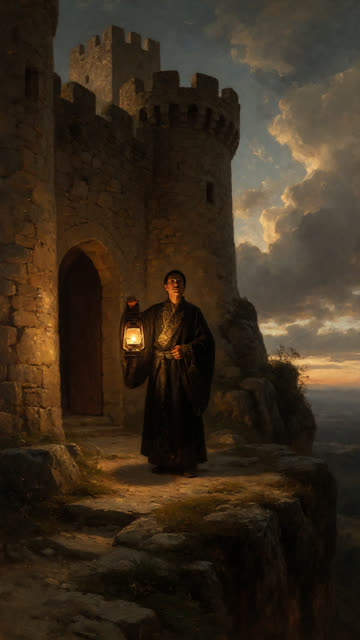
To start a faceless Bible story channel, pick one clear format (one story per video, about a minute long), plan a list of stories before you post anything, write each script so it opens on the most surprising moment and ends with the book and chapter, and post on a fixed schedule. You never need to show your face: a narrator, painted scenes and word-by-word captions carry the whole video.
The rest of this guide goes through each step, with a starter list of stories, a script structure that works for short video, and the accuracy and copyright points that are easy to get wrong.
Why Bible stories work as short videos
The Bible is full of stories that already have what a short video needs: a clear hero, high stakes and a turn nobody expects. A shepherd boy faces a giant with a sling. A prophet runs from God and ends up inside a fish. Walls fall at a shout.
Most viewers know a few of these stories, and many know them only in outline. That gap is your channel. "You know the story of Jonah, but do you know why he ran?" gives people a reason to watch something familiar to the end.
There's also a built-in series. The Bible holds far more stories than you could post in a year, so you won't run out of topics, and a name like "One Bible story a day" tells viewers exactly why to follow.
Step 1: Decide what your channel is
Before you make a single video, write down three things:
- The format. One story per video works best. Trying to cover a whole book in one minute leaves no room for the moment that makes people stay.
- The length. Around 45 to 60 seconds is enough to set up a story, reach its turn and land the ending.
- The tone. Decide whether your channel is devotional (inviting reflection), dramatic (told like a film trailer), or educational (explaining context). All three can work. Mixing them from video to video makes the channel feel unfocused.
Pick a name that says what viewers get, such as "The Bible, one story a day" or "Bible stories in 60 seconds".
Step 2: Plan your first stories
Plan at least 30 stories before you start, so you never post in a rush. Start with the stories people already search for, then move on to lesser-known ones once the channel has a following.
Well-known stories to start with
- Noah and the flood (Genesis 6–9)
- Abraham and Isaac (Genesis 22)
- Joseph sold by his brothers (Genesis 37)
- Moses and the parting of the Red Sea (Exodus 14)
- The walls of Jericho (Joshua 6)
- David and Goliath (1 Samuel 17)
- Daniel in the lions' den (Daniel 6)
- Jonah and the great fish (Jonah 1–2)
- The prodigal son (Luke 15)
- The raising of Lazarus (John 11)
Lesser-known stories with a strong turn
- Gideon's army of 300 (Judges 7)
- Balaam's talking donkey (Numbers 22)
- Elijah and the prophets of Baal (1 Kings 18)
- The fiery furnace (Daniel 3)
- The writing on the wall (Daniel 5)
- Paul and Silas freed by an earthquake (Acts 16)
Write the reference next to every topic on your list. You'll need it in the script, and it forces you to check each story against the text before you write it.
Step 3: Write scripts that hold attention
A one-minute script is roughly 130 to 160 spoken words. That's not much, so every line needs a job. This structure works for most stories:
- The hook (first 2–3 seconds). Start at the most surprising moment, not at the beginning. "God told him to sacrifice his only son" stops the scroll. "Abraham lived in Canaan" doesn't.
- The setup. Who is this, and what do they want or fear? One or two sentences.
- The turn. The moment everything changes: the stone leaves the sling, the walls start to shake.
- The ending. Close the story, then name where it's found: "You can read it in Genesis 22." It builds trust, and it gives viewers something to look up.
- The return. One line that brings people back, such as "Tomorrow: the man who outran a chariot."
Read each script aloud before you record it. If a sentence makes you stumble, it'll make the narrator stumble too.
Step 4: Stay faithful to the text
Accuracy matters more in this niche than almost any other. Your audience includes people who know these stories well, and they'll notice a wrong name or an invented detail in the comments.
- Keep the names, places and order of events the Bible gives. Retelling in your own words is fine. Changing what happened isn't.
- Don't invent quotes. If a character speaks in your video, keep it close to what the text says.
- Mark interpretation as interpretation. "Many readers see this as…" is honest. Stating one tradition's reading as fact will start arguments.
- Stay out of disputes between churches. A story channel works best when Christians from any tradition can share it.
If you use AI to write scripts, read every one before it posts. AI is good at structure and pacing, but it can blend versions of a story or add a detail that isn't in the text.
Step 5: Quote translations with care
Many Bible translations are under copyright, and each publisher sets its own rules for quoting it. Most allow limited quotation with a credit line, but the limits differ, so check the permissions notice at the front of the translation you use. The King James Version is in the public domain in most countries, which is one reason many channels quote it. Retelling a story in your own words avoids the question entirely.
Step 6: Choose a look and a voice
Pick one visual style and keep it for every video, so people recognise your channel in the feed before they read the caption. A painted, classical look suits Bible stories well, because it echoes the religious art people already associate with them. If you use real paintings, check that each one is in the public domain.
For narration, choose a calm, warm voice that can carry drama without shouting, and use the same one every time. Add word-by-word captions: many people watch with the sound off, and captions keep them reading to the end.
Step 7: Post on a schedule
Consistency matters more than volume. One video every day at the same time beats five videos one week and none the next. Post the same video to TikTok, YouTube Shorts, Instagram Reels and Facebook Reels: each platform has its own audience, and a faceless video needs no changes between them.
Watch which stories get the most views and comments. If Old Testament battles outperform parables, lean into them, and use the comments to find the stories viewers ask for next.
Doing it every day without editing
The hard part of a daily channel is the daily part: writing, illustrating, recording, captioning and posting a new video every single day. That's the work Tayang takes over. You pick a niche once, and it writes the script, illustrates each scene, records the narration (in 27 languages), adds word-by-word captions and music, and posts a 1080 × 1920 short to TikTok, YouTube Shorts, Instagram Reels and Facebook Reels on your schedule.
Its Bible stories niche is set up for exactly the approach in this guide: one story per video, faithful to the text, opening on the most surprising moment and naming the book and chapter at the end, painted in an epic style. You can add the stories you want to the topic list, and keep the series on approval so you read each script before it posts. If you'd rather tell stories with a broader moral, the good morals niche is close in spirit.
Whichever way you make your videos, the formula stays the same: one story, a strong first line, faithful to the text, and the reference at the end.